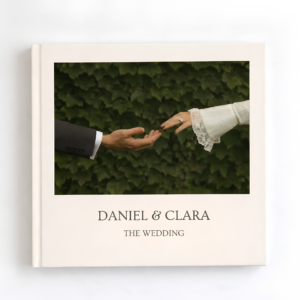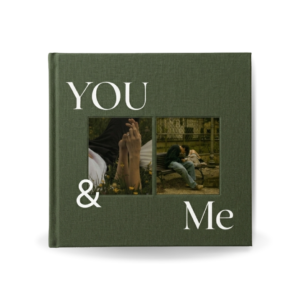
Birthdays come and go quickly.
There is the cake, the candles, the photographs, the messages, the laughter—and then suddenly the celebration is over. A few days later, those memories are sitting somewhere inside a phone camera roll with hundreds or thousands of other photos.
A birthday photo book gives those memories somewhere to live.
Instead of letting your favorite birthday photographs disappear into your camera gallery, you can turn them into a beautiful visual story—a birthday memory book filled with photographs, little details, favorite moments, messages, and memories that can be revisited years from now.
And you don’t need to be a professional designer to make one.
With the right photographs, a simple story, and a well-designed birthday photo book template, you can create something that looks personal, polished, and genuinely meaningful.
This guide walks you through exactly how to do it.
What Is a Birthday Photo Book?
A birthday photo book is a collection of photographs arranged into a designed book to celebrate someone’s birthday, a particular year of their life, or an important milestone.
Unlike a traditional photo album where photographs are simply placed into pockets or pages, a photo book can combine:
- Photographs
- Birthday wishes
- Captions
- Quotes
- Dates
- Short stories
- Candid moments
- Family photographs
- Friendship memories
- Travel memories
- Screenshots and digital memories
- Milestone moments
The result is less like a folder of photographs and more like a visual story.
That distinction is important.
The best birthday photo books aren’t necessarily the ones containing the most photographs. They’re the ones where every photograph has a reason for being there.
Why Make a Birthday Photo Book?
Your phone might already contain hundreds of photographs from birthdays, holidays, trips, dinners, and everyday life.
But how often do you actually go back and look through them?
A birthday photo book changes the experience.
Instead of scrolling through a camera roll, you can create something intentional that brings the memories together.
A birthday photo book can be:
- A meaningful birthday gift
- A milestone birthday keepsake
- A memory book for a friend
- A photo album for a parent
- A first birthday keepsake
- A relationship memory book
- A collection of family memories
- A “year in review” birthday book
- A surprise gift from friends
- A personal record of an important year
And perhaps the best part is that it doesn’t have to look like a traditional birthday album.
A modern birthday photo book can feel like a magazine, scrapbook, editorial book, personal journal, or coffee-table book.
What Makes a Great Birthday Photo Book?
Before opening Canva and dropping photographs onto random pages, think about the experience you want the person to have when they look through the finished book.
A great birthday photo book usually has three things:
1. A story
The photographs should have some kind of connection.
That connection could be chronological:
Childhood → Teenage Years → Adulthood → Today
Or it could be based on a particular relationship:
How We Met → Our Adventures → Favorite Memories → Today
Or simply a celebration:
Getting Ready → The Party → Favorite People → The Best Moments → Birthday Wishes
The structure doesn’t need to be complicated.
It simply needs to give the reader a reason to continue turning the pages.
2. Strong photographs
You don’t need hundreds of photographs.
In fact, choosing too many can make the book feel cluttered.
Instead, look for photographs that communicate something.
A silly expression.
A spontaneous laugh.
A family photograph.
A favorite trip.
A photograph from an important year.
A photograph with someone special.
A photograph that immediately brings back a memory.
Those photographs are usually more valuable than technically perfect images.
3. Consistent design
Your photographs might be amazing individually, but putting them together without a visual system can make the finished book feel chaotic.
Consistent typography, spacing, image sizes, colors, and layouts help create a more polished result.
This is where a professionally designed Canva birthday photo book template can save a huge amount of time.
How to Choose Photos for a Birthday Photo Book
This is probably the hardest part.
Your camera roll may contain hundreds of photographs, and choosing only a few can feel impossible.
Don’t start by asking:
“Which photos are the best?”
Instead ask:
“Which photos tell the story?”
Create a temporary folder and start adding photographs that immediately make you remember something.
Don’t worry about the final order yet.
You can divide them into categories such as:
Childhood
- Baby photographs
- Family photographs
- Childhood birthdays
- School memories
- Old family photographs
Friends
- Group photographs
- Funny moments
- Trips
- Celebrations
- Everyday memories
Family
- Parents
- Siblings
- Grandparents
- Cousins
- Family celebrations
Adventures
- Travel
- Concerts
- Road trips
- Holidays
- New experiences
Recent Memories
- Recent birthdays
- Favorite photographs from the past year
- Everyday moments
- Current friends and family
Once you’ve collected everything, start removing photographs that feel repetitive.
If you have five almost identical selfies, choose the one that feels most natural.
If you have ten photographs from the same birthday party, you may only need three or four.
Think like an editor, not an archivist.
You are creating a story—not trying to preserve every photograph you’ve ever taken.
How Many Photos Should You Put in a Birthday Photo Book?
There isn’t one perfect number.
The answer depends on the size of the book, the layouts you’re using, and how much space you want each photograph to have.
A simple rule is:
Give important photographs more space.
A photograph that means a lot to the recipient might deserve an entire page.
Several casual photographs from the same event could work beautifully as a collage.
Avoid trying to squeeze every photograph onto every page.
White space is not wasted space.
It helps important photographs stand out.
10 Birthday Photo Book Ideas
If you’re not sure what kind of book to create, start with one of these concepts.
1. Through the Years Birthday Photo Book
This is perfect for milestone birthdays.
Start with childhood photographs and gradually move through different stages of life.
For example:
Childhood → School → Teenage Years → Young Adulthood → Family → Today
This works particularly well for 30th, 40th, 50th, 60th and other milestone birthdays.
The chronological format allows the recipient to see how much life has changed—and how many people and experiences have shaped them.
2. Birthday Year-in-Review Photo Book
Instead of documenting an entire lifetime, focus on the previous year.
Collect the best moments from the twelve months leading up to the birthday.
You could create sections such as:
- January
- February
- March
- Spring memories
- Summer adventures
- Autumn moments
- Winter memories
- Favorite people
- Biggest moments
- Birthday celebration
This makes a wonderful annual tradition.
3. Best Friends Birthday Photo Book
Have you known your best friend for years?
Turn your shared memories into a book.
Include:
- First photographs together
- Inside jokes
- Trips
- Screenshots
- Celebrations
- Embarrassing photographs
- Favorite memories
- Messages from other friends
Don’t make every page perfectly polished.
Sometimes the funniest photographs are the ones that make the best pages.
4. Birthday Photo Book for Mom or Dad
A birthday photo book can be especially meaningful for parents.
You can combine childhood photographs, family memories, holidays, important milestones, and photographs of the family growing over the years.
One beautiful structure is:
Then → Our Family → Favorite Memories → Today
Add short messages from children, grandchildren, siblings, or other family members to make it even more personal.
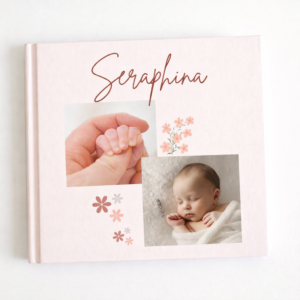
5. First Birthday Photo Book
A first birthday is an especially meaningful milestone.
Instead of focusing only on the birthday party, create a visual record of the entire first year.
Include:
- First smile
- First steps
- First words
- First holiday
- Family moments
- Monthly photographs
- Favorite toys
- Funny moments
- Birthday celebration
This transforms the book into a first birthday memory book rather than simply a record of one party.
6. 18th or 21st Birthday Photo Book
For a coming-of-age birthday, mix childhood nostalgia with current photographs.
Start with younger photographs and gradually transition into the person’s current life.
You could finish with a page containing birthday wishes and messages from friends and family.
7. 30th Birthday Photo Book
Thirty is an excellent opportunity to create a “life so far” photo book.
Divide the book into chapters:
0–10
10–20
20–30
Then finish with:
30 & Just Getting Started
This gives the birthday book a clear story arc while keeping the final pages focused on the future.
8. 40th Birthday Memory Book
For a 40th birthday, focus less on simply collecting photographs and more on documenting the different chapters of someone’s life.
Consider including:
- Childhood
- School
- Friends
- Career
- Relationships
- Family
- Travel
- Major achievements
- Funny memories
- Favorite people
You can also ask friends and family for short messages to include throughout the book.
9. 50th Birthday Photo Book
Fifty years creates a huge amount of material.
Rather than trying to include everything, create a carefully edited visual timeline.
You could organize it by decade:
The Early Years
The Teenage Years
The 20s
The 30s
The 40s
50 & Beyond
This can become more than a birthday present.
It can become a family keepsake.
10. “Reasons We Love You” Birthday Book
This doesn’t need to be chronological.
Each page can focus on something you love about the person.
For example:
Your laugh.
Your kindness.
Your terrible jokes.
Your ability to make everyone feel welcome.
Pair each message with a photograph that supports it.
This format works especially well for partners, best friends, siblings, parents, and grandparents.
Birthday Photo Book Layout Ideas
Once you’ve chosen your photographs, the next question is:
How should you arrange them?
Here are several layouts that consistently work well.
Full-Page Photograph
Give one photograph the entire page.
This works best for emotional, beautiful, funny, or visually striking images.
Don’t underestimate the power of simplicity.
Sometimes one photograph with plenty of breathing room is more powerful than a page containing six images.
Two-Photo Layout
Place two photographs together to create a visual relationship.
This can work particularly well for:
Then + Now
Before + After
Two friends
Two locations
Two different moments
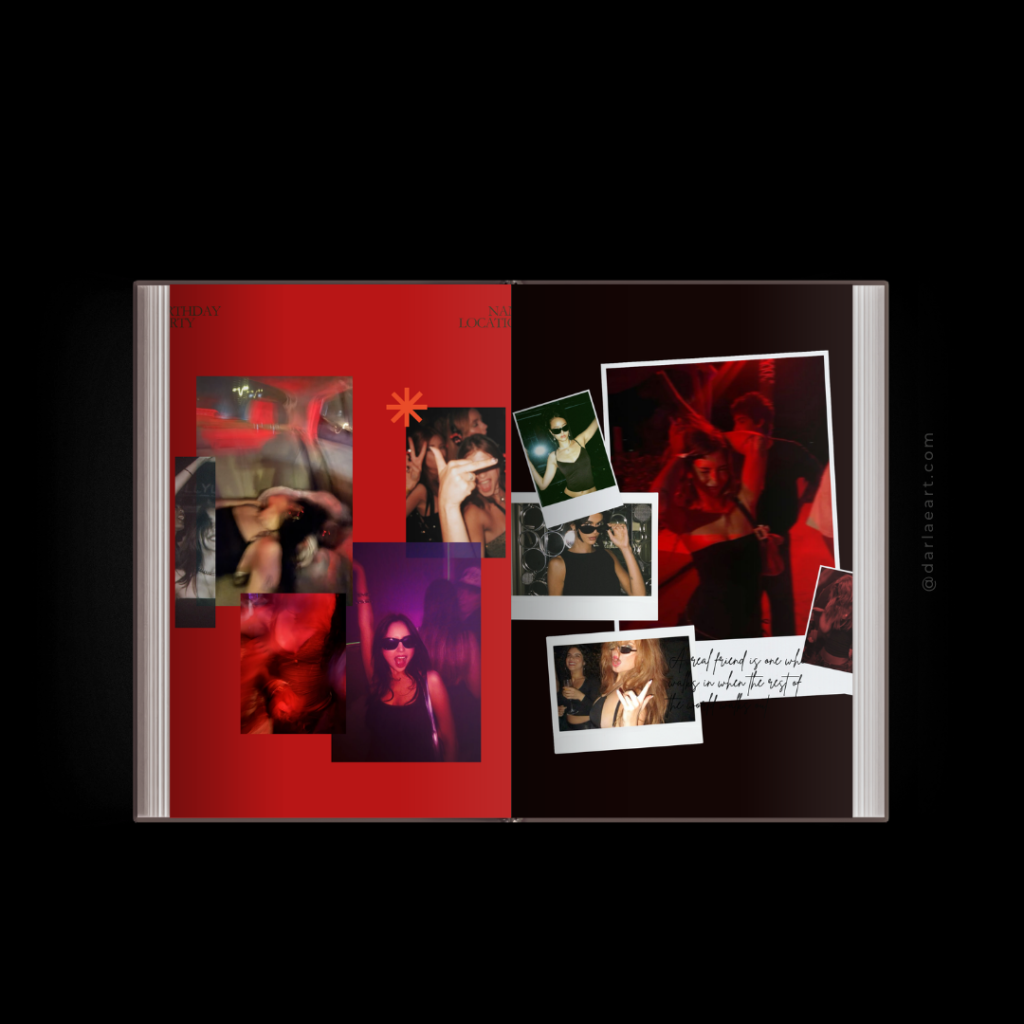
Photo Collage
Use several photographs to capture one event.
For example:
Birthday Party
→ Cake
→ Candles
→ Friends
→ Decorations
→ Dancing
→ Group photograph
Keep the spacing consistent so the collage doesn’t become visually overwhelming.
Photograph + Story
Pair one photograph with a short piece of text.
The text doesn’t need to be long.
Even a few sentences can add context that the photograph alone can’t provide.
For example:
“We had absolutely no idea that this random road trip would become one of our favorite memories.”
That’s enough.
Birthday Wishes Page
Create dedicated pages for messages.
Ask friends and family:
“What is one thing you love about them?”
or:
“What’s your favorite memory with them?”
Short answers can become some of the most meaningful pages in the entire book.
What Should You Write in a Birthday Photo Book?
You don’t need to write an essay beside every photograph.
Short text often works better.
Try:
Captions
“Summer 2019.”
“Somehow we thought this was a good idea.”
“Our favorite place.”
“The beginning of everything.”
“Best birthday yet.”
Short memories
Write two or three sentences explaining what was happening when the photograph was taken.
Birthday wishes
Ask several people to contribute a message.
Quotes
Use a meaningful quote sparingly.
Inside jokes
These can make the book feel uniquely yours.
The goal isn’t to make every page informative.
The goal is to make the book personal.
How to Make a Birthday Photo Book Look Aesthetic
If you want your birthday photo book to have a modern, premium appearance, resist the temptation to decorate every available space.
A sophisticated design often relies on restraint.
Use a limited font combination
Choose one font for headings and one for body text.
Give photographs room
Don’t force every image into a tiny box.
Keep spacing consistent
Consistent margins instantly make a design feel more intentional.
Don’t overuse decorations
A few carefully chosen elements can be more effective than dozens of stickers.
Let the photographs lead
The person and the memories should remain the focus.
Create visual rhythm
Alternate between different page compositions.
For example:
Full photograph → collage → text + photograph → full photograph → collage
This prevents the book from becoming repetitive.
How to Create a Birthday Photo Book in Canva
One of the easiest ways to create a modern birthday photo book is with Canva.
Canva is particularly useful because you don’t need advanced graphic-design software to create a polished result.
You can start with a blank document and design every page yourself.
But there’s another option.
Instead of designing every page from scratch, you can start with a professionally designed birthday photo book template.
This gives you the structure, typography, spacing, and page compositions first.
You simply replace the sample photographs with your own.
Creating a Birthday Photo Book With a Canva Template
If you want the design process to be faster, a ready-made template can be a great starting point.
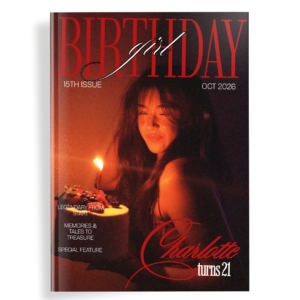
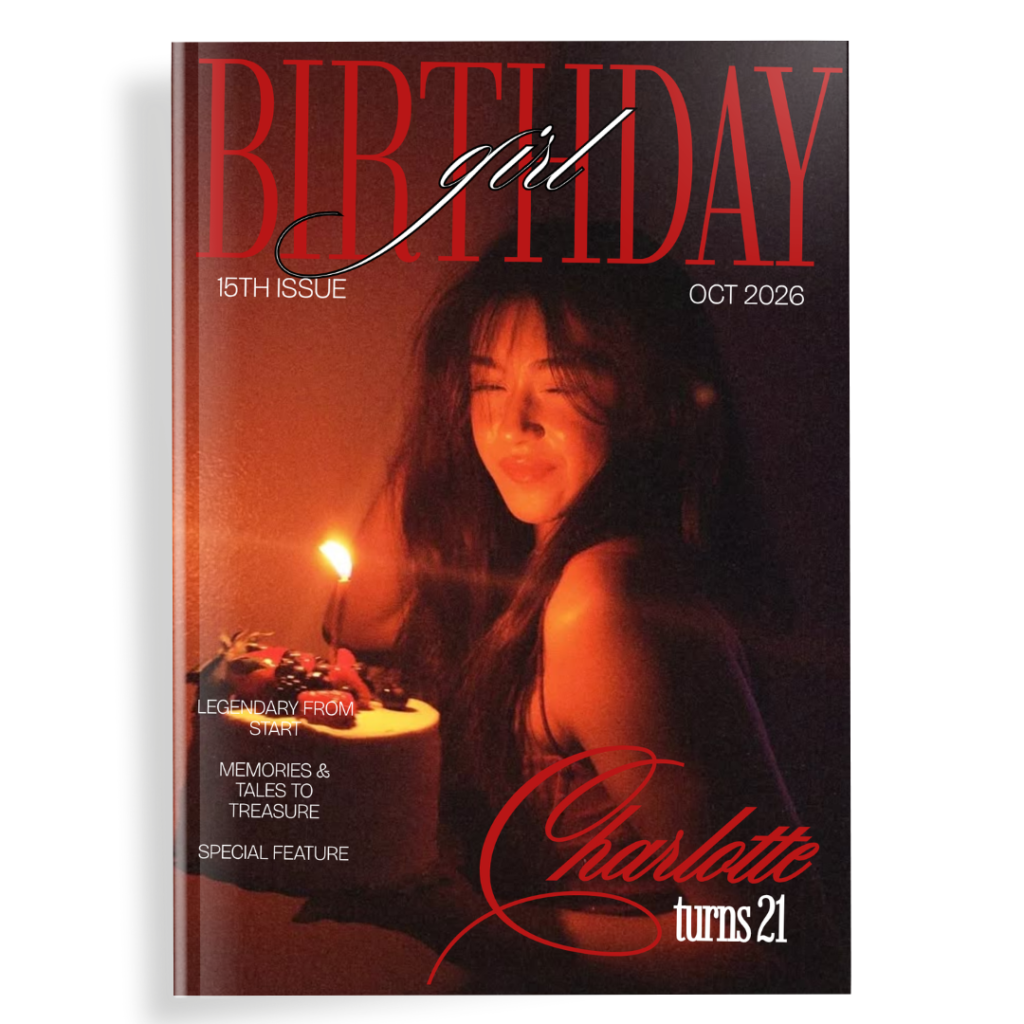
For example, the Darlae Aesthetic Birthday Photo Book is a 32-page Canva template created around a modern, editorial-inspired aesthetic. It is designed to be edited in Canva and is intended to work with a free Canva account, although individual Canva elements can occasionally be Pro elements.
View the Darlae Aesthetic Birthday Photo Book
The idea isn’t to make everyone’s birthday book look identical.
It’s to remove the difficult part of starting from an empty page.
You can replace the photographs, edit the text, rearrange the content, and make the finished book your own.
A simple workflow:
Step 1: Choose your photographs.
Step 2: Open the Canva template.
Step 3: Replace the sample photographs.
Step 4: Personalize the text.
Step 5: Rearrange or duplicate pages if necessary.
Step 6: Check every page for spelling and alignment.
Step 7: Download your completed photo book.
The result is a birthday photo book that feels designed without requiring you to become a graphic designer first.
How to Make Your Birthday Photo Book Feel Less Generic
This is one of the most important parts.
A template can give you the design.
Your memories give it the personality.
Don’t simply replace photographs and leave everything else untouched.
Change the words.
Add personal captions.
Include photographs that aren’t perfect.
Add inside jokes.
Include a message from someone important.
Use a photograph that only the two of you understand.
Add dates and places.
Include the photograph everyone laughs about.
Those details are what transform a beautiful template into your birthday photo book.
Common Birthday Photo Book Mistakes to Avoid
Trying to Include Every Photograph
More photographs don’t automatically create a better book.
Choose quality and meaning over quantity.
Making Every Page Look Different
Too much variation can make the book feel inconsistent.
Repeat design elements to create visual continuity.
Using Too Much Text
Remember that this is primarily a photo book.
Let photographs breathe.
Overdecorating
You don’t need balloons, confetti, hearts, stars, stickers, and borders on every page.
Sometimes a photograph and a simple heading are enough.
Forgetting the Story
Before designing, decide what the book is actually about.
Is it a life story?
A friendship?
A single birthday?
A year?
A milestone?
Once you know the story, choosing photographs becomes much easier.
Birthday Photo Book vs. Traditional Photo Album
Both can preserve memories, but they offer different experiences.
A traditional photo album often focuses on storing photographs.
A photo book focuses on designing a story around them.
With a photo book, you can combine photographs with:
- Typography
- Captions
- Quotes
- Stories
- Dates
- Messages
- Full-page photographs
- Collages
- Editorial layouts
That makes it particularly useful when you’re creating a gift rather than simply organizing photographs.
The Best Birthday Photo Book Is the One That Tells Their Story
You don’t need professional photography.
You don’t need hundreds of photographs.
You don’t need expensive design software.
And you certainly don’t need to be a graphic designer.
You need a collection of meaningful memories and a way to bring them together.
Start with the photographs.
Find the story.
Remove the repetitive images.
Add the little details.
Give the important moments space.
Then build the pages around the person you’re celebrating.
Whether you’re creating a first birthday photo album, a 21st birthday memory book, a 30th birthday photo book, a 40th birthday keepsake, a 50th birthday photo album, or simply a beautiful gift for your best friend, the principle remains the same:
Don’t just collect photographs. Tell their story.
And if you want to skip the intimidating blank page and start with a professionally designed foundation, you can explore the Darlae Aesthetic Birthday Photo Book Canva template and personalize the 32-page design with your own photographs and memories.
Create Your Birthday Photo Book with Darlae
Frequently Asked Questions
What is the best birthday photo book idea?
A “through the years” photo book is one of the most versatile ideas, especially for milestone birthdays. You can combine childhood photographs, family memories, friendships, travel, achievements, and recent moments into one chronological story.
How many photos should a birthday photo book have?
There is no fixed number. The important thing is to avoid overcrowding the pages. Use larger layouts for meaningful photographs and collage layouts when several photographs belong to the same event.
How do I make a birthday photo book?
Choose your photographs, decide on a story or theme, arrange the photographs into a layout, add captions or birthday messages, and review the completed pages before exporting or printing the book. Using a Canva template can make the design process significantly faster.
Can I make a birthday photo book in Canva?
Yes. Canva can be used to create a birthday photo book from scratch or customize a ready-made Canva template. A template can provide the initial layouts and typography while allowing you to replace the photographs and text with your own.
What should I put in a birthday memory book?
Consider including favorite photographs, childhood memories, funny moments, family photographs, travel memories, birthday celebrations, short stories, quotes, dates, and messages from friends and family.
What is a good birthday photo book gift for a friend?
A friendship-focused photo book works particularly well. Include photographs from trips, celebrations, everyday moments, inside jokes, old photographs, screenshots, and short messages explaining why the friendship matters.
What should I put in a 50th birthday photo book?
A 50th birthday photo book can work beautifully as a visual timeline. Divide the book into life stages or decades and include childhood memories, friendships, family, career, travel, achievements, and photographs from the present day.
Is a birthday photo book a good gift?
Yes. A birthday photo book can combine photographs, stories, and personal messages into a single keepsake. Unlike many conventional birthday gifts, it can preserve memories that become more meaningful over time
Check out Birthday photobook