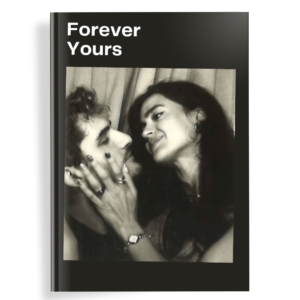
A personalized birthday photo album is one of the most meaningful gifts you can give — or keep for yourself. Unlike a phone full of scattered photos, a carefully designed album turns everyday moments into a story you can hold.
Here’s the simplest, most beautiful way to create one, even if you’ve never designed anything before.
Why a Personalized Birthday Photo Album Matters
Birthdays mark the passing of another year. The photos from that day (or the whole year leading up to it) deserve more than a camera roll. A well-made album becomes a keepsake that people actually look at years later.
Step-by-Step: How to Create Your Personalized Birthday Photo Album
- Gather your photos
Choose 40–80 of your strongest images. Mix portraits, candid shots, detail photos (cake, decorations, gifts), and group moments. Quality over quantity. - Decide on the story you want to tell
Options that work beautifully:- The full birthday day (morning to night)
- A “year in the life” leading up to the birthday
- Milestone highlights (especially powerful for 1st, 18th, 30th, 40th, 50th)
- Choose the right template
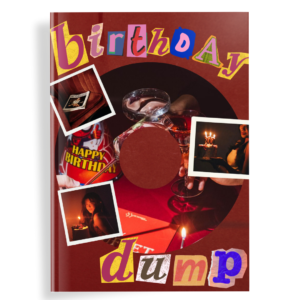
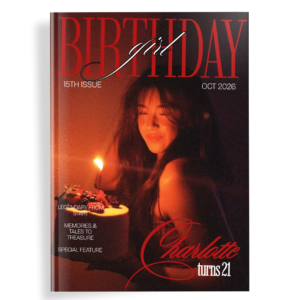
Start with a professionally designed Canva template instead of a blank page. This is the single biggest time-saver and quality upgrade. Darlae’s Aesthetic Birthday Photo Book and Scrapbook Birthday Photobook are built specifically for this — clean layouts, elegant typography, and fully editable in free Canva. - Open the template in Canva and personalize
- Click the link → “Use template”
- Replace every photo placeholder with your own images
- Update names, dates, and short captions
- Adjust colors only if needed (most people keep the original refined palette)
- Add personal touches that make it unique
- Short handwritten-style notes
- Favorite quotes or inside jokes
- A final page with a message from friends or family
- Export and print (or keep digital)
Download as PDF Print at highest quality. You can print it as a hardcover book or keep it as a digital album to share.
Pro Tips for a Truly Personalized Result
- Use consistent lighting and color tones across photos
- Leave breathing room — don’t overcrowd every page
- Write captions in first person or second person for emotional impact
- Include a few “imperfect” candid moments — they often become the favorites
Creating a personalized birthday photo album no longer requires design skills or expensive software. With the right template and a clear story, you can finish a beautiful, professional-looking album in under an hour.